macOS Tahoe & Beyond

The Launchpad Apple Removed

Apple removed Launchpad. We brought it back — and made it better. Full-screen app launcher with folders, search, sorting, trackpad gestures, and more. Built entirely in Swift.

Native Swift. Zero dependencies. Privacy first.
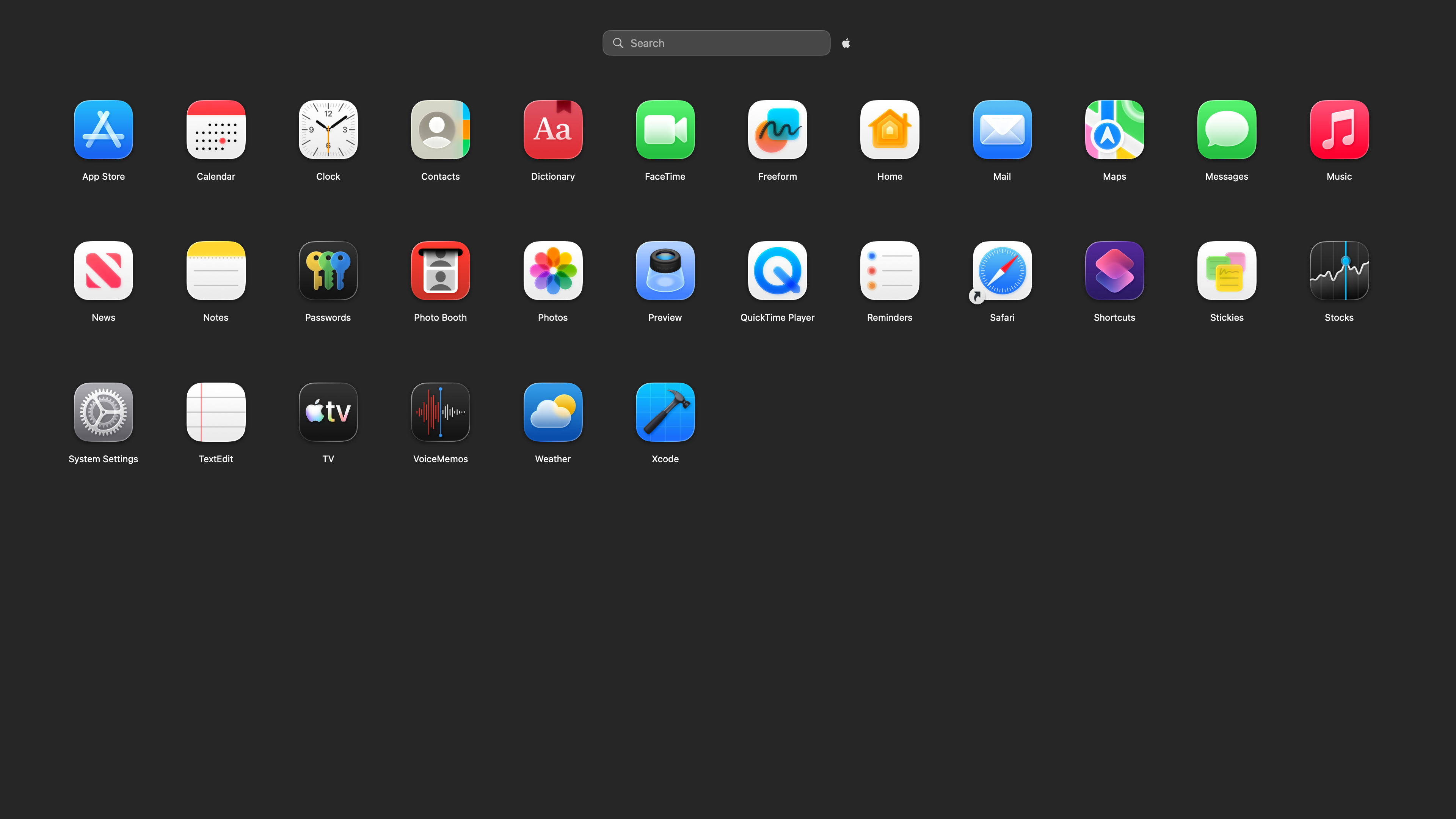
Retro Launch app grid
Five Ways to Open Search Smart Sorting Folders Customization Privacy
Activation

Six ways to open. Pick your favorite.

Press Cmd+Opt to instantly toggle Retro Launch — it's the default and always active. Or use trackpad gestures, hot corners, a custom shortcut, or the menu bar. Always one gesture away.

  • Cmd+Opt — press both together to toggle (default, always active)
  • Fn+F4 — the original Launchpad key, where macOS allows it
  • Trackpad pinch — 4-finger pinch, just like before
  • Hot corners — configurable to any corner
  • Custom keyboard shortcut — record any key combo in Settings
  • Menu bar icon — always accessible in your menu bar
Cmd + Opt
Default shortcut — always active
Fn + F4
Classic Launchpad key
Pinch
4-finger trackpad gesture
Hot Corner
Any corner of screen
Custom Key
Record any key combo
Menu Bar
Click the icon anytime
Sorting

Sort your apps four different ways

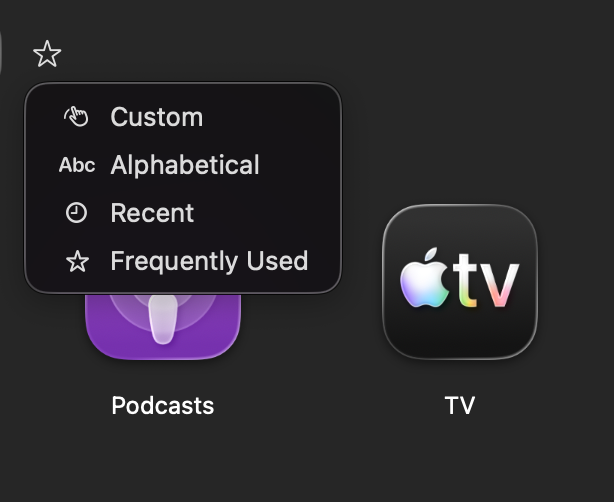
Alphabetical, recently used, most frequently launched, or your own custom drag-and-drop order. Switch between them anytime.

  • Alphabetical — classic A-Z ordering
  • Recently Used — apps you launched most recently appear first
  • Frequently Used — your most-launched apps rise to the top
  • Custom — drag and drop to arrange exactly how you want
Retro Launch sorting options
Folders

Organize with folders, just like iOS

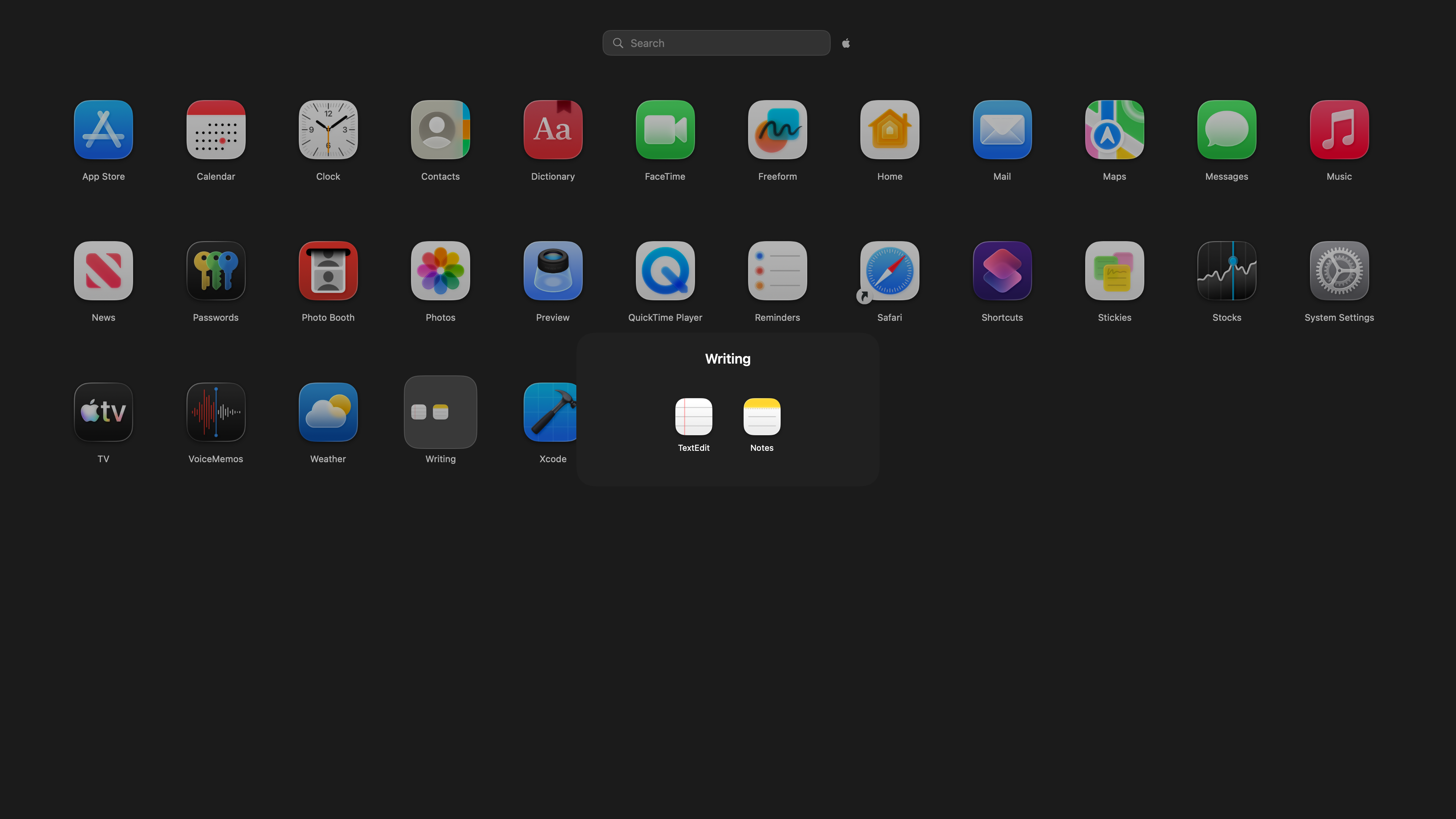
Drag one app onto another to create a folder — just like on your iPhone. Rename folders, add or remove apps freely. Folders auto-dissolve when empty so your layout stays clean.

  • Drag-and-drop folder creation
  • Rename folders with a tap
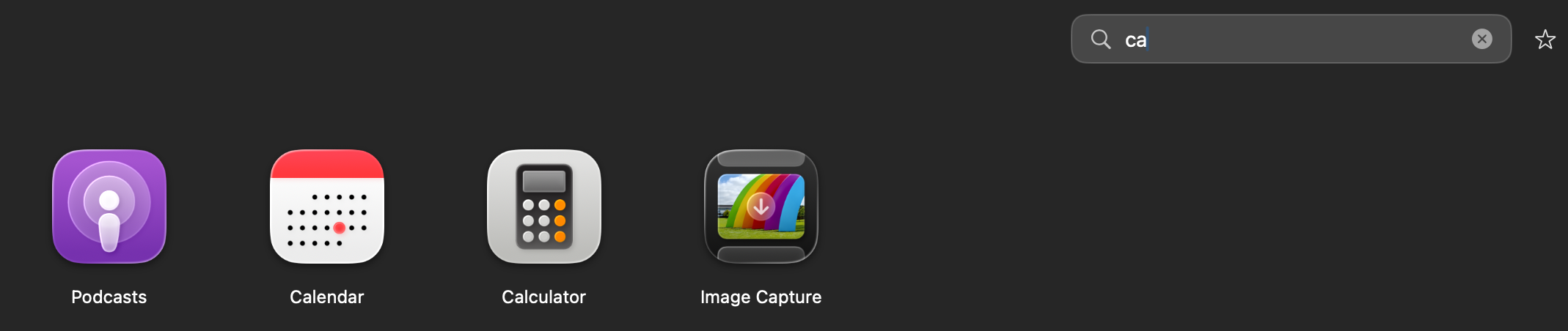
  • Search finds apps inside folders
  • Auto-dissolve when empty
Retro Launch folder view
Customization

Make it yours

Three icon sizes, three grid densities, three animation speeds. Record a custom keyboard shortcut, check for updates, or report bugs — all from Settings.

  • Icon size, grid density, and animation speed
  • Keyboard shortcut recorder — set any custom key combo
  • Check for updates — automatic via Sparkle, or manually
  • Report a Bug — sends email with version and system info pre-filled
  • Layout export/import for backup and migration
  • Wiggle mode — long-press to rearrange, just like iPhone
Appearance
Icon Size
SmallMediumLarge
Grid Density
CompactNormalSpacious
Animation Speed
FastNormalSlow
Behavior
Launch at Login
Show System Apps
Show Menu Bar Icon
Keyboard Shortcut
Custom Shortcut
Record...
About
Check for Updates
Check Now
Report a Bug
Send Report

Privacy First

All data is stored locally on your Mac. No accounts. No cloud sync. No tracking. No analytics.

100% Local

Your layout, preferences, and usage data never leave your Mac. Ever.

No Tracking

Zero analytics, zero telemetry, zero data collection. We don't even have a server.

Zero Dependencies

Pure Swift. No third-party frameworks, libraries, or SDKs. Just your Mac and our code.

Lightweight

Launches instantly and uses minimal system resources. No background processes.

Retro Launch

Get Retro Launch

Bring back the app launcher Apple took away. Built for macOS Tahoe and beyond.

Native Swift Zero dependencies No tracking Built for macOS Tahoe